How National ID Enrollment Works in Low-Connectivity Areas
National ID enrollment does not always take place in well-connected government offices. Registration teams may need to work in rural communities, remote islands, border regions, or temporary enrollment centers where network access and electricity are unreliable.
In these environments, losing connectivity should not bring registration to a stop.
Offline enrollment allows authorized operators to capture applicant information, check biometric quality, protect records locally, and prepare completed transactions for later transfer. When connectivity becomes available, the records can be securely synchronized with the central national ID system.
The exact offline workflow depends on the software architecture, security policies, and system configuration defined for each project.
The network can fail. Enrollment cannot.
How Offline Enrollment Continues
A field-ready enrollment system should enable essential registration activities to continue without a constant connection to the central platform.

Capture
The operator collects the demographic information, supporting documents, and biometric data required by the national ID program.
Depending on the project, this may include fingerprints, facial images, iris images, signatures, or document scans. The enrollment application can guide the operator through the approved process and identify missing information before the transaction is completed.
Where supported by the project configuration, local quality assessment can identify problems such as blurred facial images, incorrect positioning, incomplete fingerprint capture, or missing biometric records. If an issue is detected, the operator can repeat the capture while the applicant is still present.
This is particularly important in remote locations. Discovering unusable data after a registration team has left the area can make correction difficult, delay identity processing, and increase deployment costs.
Local quality checks can improve the completeness of the enrollment transaction, but they do not replace central biometric deduplication or final identity verification.
Protect
National ID enrollment involves sensitive demographic and biometric data. Records temporarily stored on field equipment should therefore be protected as part of the wider security architecture.
Depending on the national authority’s requirements and the system configuration, protection may include:
Data encryption
Operator authentication
Access restrictions
Transaction identifiers
Audit information
Data-retention and deletion rules
The project should define who may access enrollment data, how long it may remain on the device, how it is transferred, and when the local copy should be removed.
Offline capability should not mean leaving unprotected identity data on enrollment equipment.
Queue
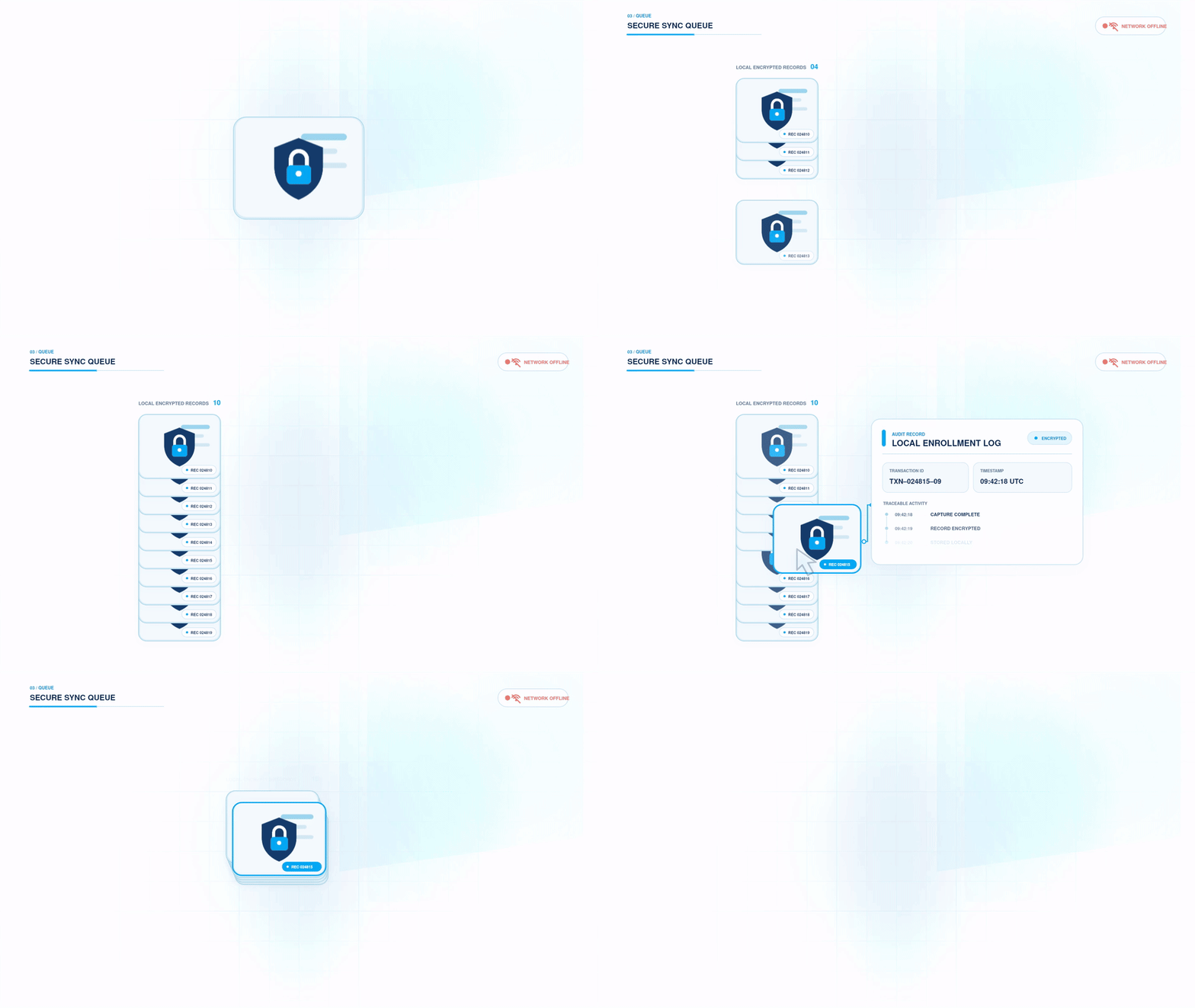
Once the required information has been captured and checked, the completed enrollment record can be placed in a secure synchronization queue.
Where supported by the system, each record can remain connected to a unique transaction identifier and a clear status. This helps operators and supervisors distinguish between transactions that are:
Waiting to be transferred
Currently being synchronized
Successfully received
Requiring retransmission or further attention
Maintaining clear transaction status can reduce the risk of records being lost, repeatedly submitted, or incorrectly treated as complete.
Offline enrollment supports data capture and transaction preparation in the field. It does not replace the authorized central national ID infrastructure.
Synchronize
When an approved connection becomes available, queued enrollment records can be securely transferred to the central system.
Reliable synchronization involves more than uploading a collection of files. Depending on the project architecture, controls may include encrypted transmission, retry mechanisms, synchronization status, and receipt confirmation.
If connectivity is interrupted during the transfer, the system should retain a clear record of what has and has not been received. The transaction can then follow the retry or exception-handling process established for the project.
After the central platform receives the enrollment package, it can continue with the processes defined by the national ID program. These may include:
Data validation
Biometric deduplication
Duplicate or conflict review
Identity-record creation
Identity approval
Identity-number assignment
Credential issuance
Synchronization is therefore the controlled handover of an enrollment transaction from the field to the central system.
Keeping Field Teams Running
Offline enrollment software is only one part of a reliable field operation. Registration teams also need equipment, power, support, and security proced ures suited to the environments in which they work.
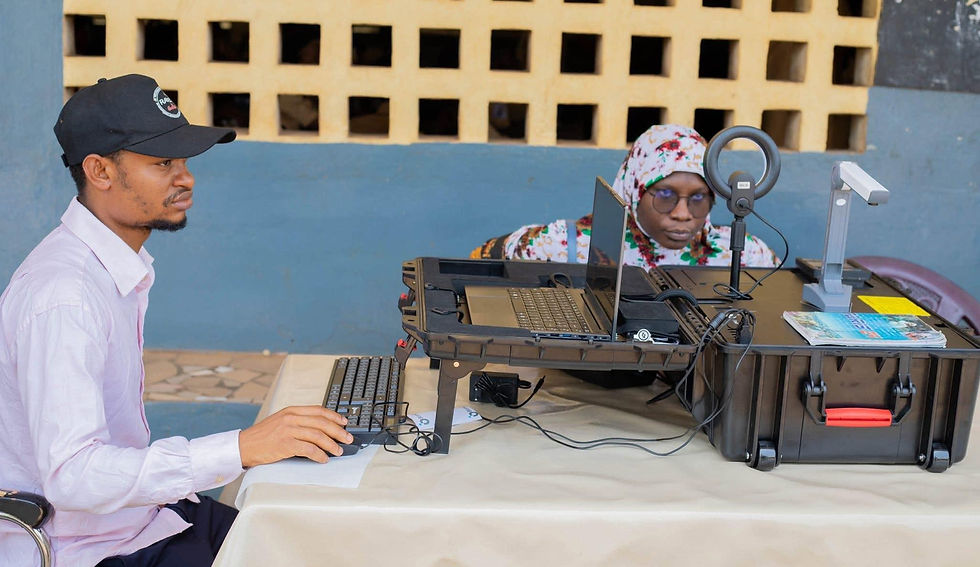
Portable biometric enrollment kits and mobile terminals can support data capture across mobile and decentralized registration environments. EKEMP configures the equipment combination according to the project’s biometric, mobility, integration, and operating requirements.
Depending on the project configuration, an enrollment setup may include fingerprint scanners, cameras, iris scanners, document readers, signature pads, printers, or integrated mobile terminals.
Power planning is equally important. Projects may require spare batteries, battery rotation, portable charging options, or alternative power sources to keep the enrollment setup operational throughout the working period.
Operators need practical training for both normal registration and exceptional situations, including failed quality checks, incomplete records, and synchronization issues. Projects should also plan for equipment transportation, secure storage, software updates, battery replacement, maintenance, and technical support.
Where included in the project architecture, centralized device management can help authorized teams monitor and maintain distributed enrollment equipment when connectivity is available.
Preparing the wider field operation—not just the enrollment application—can help improve the continuity and reliability of enrollment in low-connectivity conditions.
Supporting Real-World Enrollment
For national ID programs that need to reach widely distributed communities, offline enrollment should be considered as part of the wider deployment architecture—not only as an emergency fallback.
Low-connectivity enrollment is not simply about using a biometric device without the internet. It is about maintaining a secure, traceable, and practical registration workflow under real operating conditions.
The system should help field teams capture usable data, protect sensitive records, monitor transaction status, and transfer completed enrollments to the central platform without weakening the integrity of the national ID process.
EKEMP provides end-to-end identity infrastructure for governments and national institutions, supporting biometric enrollment, identity verification, software integration, credential issuance, and field deployment.
By designing around actual operating conditions, national ID programs can extend registration services to more communities while maintaining control over data quality, security, and transaction continuity.
Frequently Asked Questions
Can biometric enrollment work without internet access?
Yes. An appropriately configured enrollment system can capture demographic and biometric data, perform local quality checks, and securely store completed transactions without continuous internet access. The records can be synchronized with the central system when an approved connection becomes available.
What happens to enrollment data while the device is offline?
Enrollment records can be encrypted and temporarily stored on the authorized device. Access, retention, transfer, and deletion should follow the security and data-protection policies established by the responsible national authority.
Is biometric deduplication performed offline?
In national ID programs, field devices generally perform capture, completeness, and quality checks. Biometric deduplication is normally completed by the authorized central system after the enrollment record has been synchronized.
What equipment is needed for offline national ID enrollment?
The required equipment depends on the program. A typical setup may include an enrollment computer or biometric tablet, fingerprint and facial-image capture devices, document-reading equipment, enrollment software, and suitable battery or power support.